Quick Answer
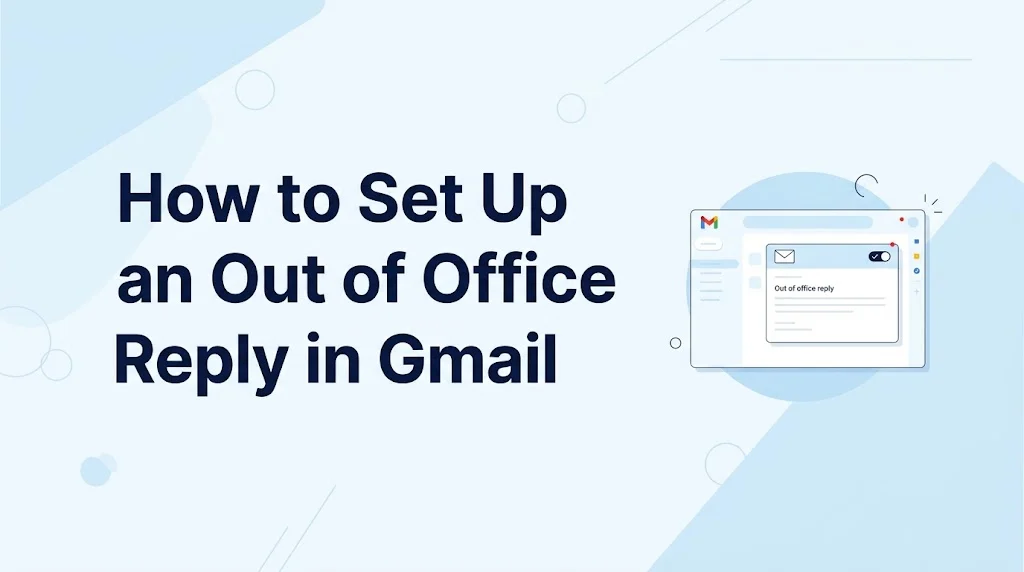
To set up an out of office reply in Gmail, open Settings, select See all settings, find Vacation responder, turn it on, choose your dates, write your message, and save your changes. It is perfect for vacations, holidays, sick days, or any time you will be away from email.
Top alternatives: Gmail vacation responder, Gmail auto reply, out of office email, Gmail away message, automatic email response
If your inbox could use a little vacation while you are actually on vacation, Gmail has your back. An out of office reply lets people know you are unavailable without making you manually answer every email that arrives while you are away. Whether you are taking a long weekend, traveling, attending an event, taking time off work, or simply stepping away from your inbox, setting up an automatic response can save you from returning to 147 unread emails and one very urgent “just checking in” message.
The good news is that the setup is straightforward. You can choose when the response starts and ends, write a custom message, and decide whether it should be sent to everyone or only people in your contacts. A polished automatic reply also helps coworkers, clients, friends, and other senders know when they can expect you back.
How to Set Up an Out of Office Reply
- Open Gmail and go to Settings.
Example: Use this first step when you are ready to create an automatic away message.
Meaning: Gmail’s settings area contains the controls for your vacation responder. - Click “See all settings.”
Example: Use this when the quick settings panel does not show the option you need.
Meaning: The full settings page gives you access to Gmail’s automatic reply feature. - Find the “Vacation responder” section.
Example: Use this when scrolling through the General settings page.
Meaning: This is where Gmail lets you configure an out of office message. - Select “Vacation responder on.”
Example: Use this when you want Gmail to automatically respond to incoming messages.
Meaning: Turning it on activates your automatic reply. - Choose the first day of your absence.
Example: Use this when your vacation starts on Monday and you want the reply active from that date.
Meaning: The start date determines when Gmail begins sending your automatic response. - Choose an end date if you know when you will return.
Example: Use this when you already know your vacation ends Friday.
Meaning: The end date allows Gmail to stop the responder automatically. - Enter a clear subject line.
Example: Use “Out of Office: Returning August 31” when you want recipients to understand your availability immediately.
Meaning: A descriptive subject makes the purpose of the email obvious. - Write your automatic response.
Example: Use a short message explaining that you are away and when you expect to return.
Meaning: The message gives senders useful information while you are unavailable. - Add an alternative contact when necessary.
Example: Mention a colleague’s contact details when urgent work needs immediate attention.
Meaning: An alternative contact gives senders another way to get help. - Choose whether to send replies only to your contacts.
Example: Use this option when you do not want your automatic message sent broadly.
Meaning: The setting gives you more control over who receives your away message. - Review the dates before saving.
Example: Check that your return date is correct before activating the responder.
Meaning: Reviewing the schedule helps prevent accidental or prolonged automatic replies. - Click “Save Changes.”
Example: Use this final step after checking your message and dates.
Meaning: Saving activates your chosen Gmail vacation responder settings. - Send yourself a test email if needed.
Example: Use a second email address to confirm that the automatic response works as expected.
Meaning: A test can help catch mistakes before you leave. - Check your message for spelling and clarity.
Example: Review a workplace message before activating it for clients or coworkers.
Meaning: A polished response creates a more professional impression. - Turn the responder off when you return if no end date was selected.
Example: Use this when you return earlier than expected.
Meaning: Disabling the responder prevents unnecessary automatic replies after your absence ends.
Professional Out of Office Replies
- “Thank you for your email. I am currently out of the office and will return on [date].”
Example: Use this for clients or professional contacts during scheduled leave.
Meaning: It gives a clear and courteous availability update. - “Thank you for reaching out. I am away from the office until [date].”
Example: Use this when you want a short, polished workplace response.
Meaning: It professionally communicates your absence. - “I am currently unavailable and will respond when I return.”
Example: Use this when you do not want to provide additional details about your absence.
Meaning: It sets a clear expectation that your response will be delayed. - “I appreciate your message and will reply as soon as possible after my return.”
Example: Use this when responding to clients during planned time off.
Meaning: It combines courtesy with a realistic response timeline. - “I am out of the office with limited access to email.”
Example: Use this when you may occasionally check your inbox but cannot respond normally.
Meaning: It prevents senders from expecting an immediate reply. - “I will be away from email from [start date] through [end date].”
Example: Use this for a clearly scheduled vacation or business absence.
Meaning: It provides precise availability information. - “Your message is important to me, and I will respond upon my return.”
Example: Use this when communicating with customers or business partners.
Meaning: It reassures the sender that their message has not been ignored. - “Thank you for your patience while I am away.”
Example: Use this as a closing sentence in a workplace auto reply.
Meaning: It politely acknowledges the delay. - “I am currently unavailable due to scheduled leave.”
Example: Use this when you want a formal and minimal message.
Meaning: It explains your absence without unnecessary personal details. - “I will have limited access to email during this time.”
Example: Use this when traveling or attending an event.
Meaning: It prepares senders for slower communication. - “I will review your email after I return.”
Example: Use this when you expect to work through your inbox after your absence.
Meaning: It establishes when the sender can expect attention. - “Thank you for contacting me. I am away until [date].”
Example: Use this for a simple professional auto reply.
Meaning: It communicates your absence quickly and politely. - “I am currently out of the office and unable to respond immediately.”
Example: Use this when your inbox will not be monitored regularly.
Meaning: It sets realistic expectations about response times. - “I appreciate your understanding during my absence.”
Example: Use this as a professional closing.
Meaning: It adds a courteous tone to the automatic message. - “I look forward to responding to you when I return.”
Example: Use this when maintaining a warm but professional tone with clients.
Meaning: It signals that you intend to continue the conversation later.
Short Out of Office Replies
- “Out of office until [date].”
Example: Use this when you want the most concise possible automatic reply.
Meaning: It immediately communicates your absence and return date. - “Away from email until [date].”
Example: Use this for a simple vacation responder.
Meaning: It tells senders when normal email access should resume. - “I am currently away. I will reply when I return.”
Example: Use this when you want a friendly two-sentence message.
Meaning: It communicates absence without unnecessary information. - “Thanks for your message. I am away until [date].”
Example: Use this for a casual professional workplace.
Meaning: It keeps the automatic reply brief and polite. - “Currently out of office. Back on [date].”
Example: Use this for internal colleagues or familiar contacts.
Meaning: It provides a quick availability update. - “Away today. I will respond tomorrow.”
Example: Use this for a single-day absence.
Meaning: It gives a simple expected response time. - “I am unavailable until [date].”
Example: Use this when you prefer not to mention why you are away.
Meaning: It establishes a clear period of unavailability. - “Thanks for reaching out. I will reply after [date].”
Example: Use this when you want a friendly but direct response.
Meaning: It tells the sender when communication can resume. - “I am taking some time away from email.”
Example: Use this when you want a softer description of your absence.
Meaning: It communicates limited email availability without sounding overly formal. - “Email break activated. Back on [date].”
Example: Use this for a relaxed team environment.
Meaning: It gives a professional update with a playful touch. - “Out today. Catching up on email when I return.”
Example: Use this for a short absence.
Meaning: It lets senders know their message will be reviewed later. - “I am away from my inbox right now.”
Example: Use this for a casual automatic message.
Meaning: It signals that you are not actively monitoring email. - “Thanks for your patience. I will respond soon.”
Example: Use this when you do not want to specify your exact return date.
Meaning: It acknowledges the delay while keeping the message brief. - “Currently offline. Back soon.”
Example: Use this with coworkers who prefer informal communication.
Meaning: It communicates temporary unavailability in a relaxed way. - “Away now, replying later.”
Example: Use this for an extremely simple personal or team auto reply.
Meaning: It tells senders that a delayed response is expected.
Friendly Out of Office Replies
- “Thanks for your email. I am taking a little time away and will be back on [date].”
Example: Use this when you want a warm message without sounding overly formal.
Meaning: It communicates your absence in a friendly way. - “I am currently away from my inbox, but I will get back to you after [date].”
Example: Use this for friendly workplace contacts.
Meaning: It combines warmth with a clear response expectation. - “Thanks for stopping by my inbox. I am away until [date].”
Example: Use this for a relaxed professional environment.
Meaning: It gives a playful twist to a standard away message. - “I am taking a short break from email and will catch up when I return.”
Example: Use this for a vacation or personal day.
Meaning: It communicates that you are intentionally stepping away from email. - “My inbox and I are taking a little break.”
Example: Use this with coworkers who appreciate casual humor.
Meaning: It makes the absence feel friendly and lighthearted. - “Thanks for reaching out. I will be back in email mode on [date].”
Example: Use this when you want a modern, conversational tone.
Meaning: It tells the sender when you expect to resume normal communication. - “I am away enjoying some offline time.”
Example: Use this for vacation or personal leave.
Meaning: It signals that you may intentionally be avoiding email. - “I am currently away, but your message is safely waiting for me.”
Example: Use this when you want to reassure the sender that their email will not disappear.
Meaning: It creates a warm and reassuring tone. - “Thanks for your patience while I take some time away.”
Example: Use this when you want your auto reply to sound considerate.
Meaning: It acknowledges the sender’s potential wait. - “I will be back soon and ready to tackle my inbox.”
Example: Use this after a short break from work.
Meaning: It creates a positive expectation for your return. - “I am stepping away from email for a bit.”
Example: Use this when taking a brief period of leave.
Meaning: It explains limited availability in a casual way. - “I appreciate your message and will catch up with you after my break.”
Example: Use this with familiar professional contacts.
Meaning: It keeps the tone warm while setting expectations. - “Currently away, probably somewhere without Wi-Fi.”
Example: Use this when traveling and your workplace culture is relaxed.
Meaning: It adds gentle humor to your absence notice. - “My inbox can wait. I will be back on [date].”
Example: Use this for a playful vacation responder.
Meaning: It signals that you are intentionally disconnecting. - “Thanks for understanding while I recharge.”
Example: Use this for personal leave or a wellness break.
Meaning: It communicates that you are taking time to reset.
Funny Out of Office Replies
- “I am currently out of office and pretending my inbox does not exist.”
Example: Use this with close coworkers in a casual workplace.
Meaning: It humorously communicates that you are disconnecting from email. - “My inbox has been placed on vacation too.”
Example: Use this when taking a holiday break.
Meaning: It gives your absence message a playful twist. - “Currently unavailable because my calendar said so.”
Example: Use this for a humorous workplace auto reply.
Meaning: It jokes about following your scheduled time off. - “I have temporarily escaped the email universe.”
Example: Use this when you want a fun vacation responder.
Meaning: It humorously describes stepping away from work email. - “If this is urgent, please wait until I am back.”
Example: Use this when your team already knows how to handle urgent issues.
Meaning: It humorously discourages unnecessary interruptions. - “I am away from my keyboard and dangerously close to relaxing.”
Example: Use this for a lighthearted vacation message.
Meaning: It jokes about enjoying your time away. - “My inbox and I need some space.”
Example: Use this for a playful personal day message.
Meaning: It humorously explains why you are not responding. - “Currently unavailable. Future me will handle this.”
Example: Use this when you expect to catch up after returning.
Meaning: It playfully shifts responsibility to your future self. - “I am out of office. The emails will still be here when I get back, sadly.”
Example: Use this when your workplace enjoys dry humor.
Meaning: It jokes about the inevitable inbox backlog. - “I have left the building and taken my notifications with me.”
Example: Use this when disconnecting completely during vacation.
Meaning: It humorously signals that you are not monitoring messages. - “Email is currently losing access to me.”
Example: Use this for a playful internal team message.
Meaning: It jokingly frames your absence as an email problem. - “Out of office mode: activated.”
Example: Use this when you want a short, energetic auto reply.
Meaning: It announces that your away mode is officially on. - “I am somewhere else, and my inbox is not invited.”
Example: Use this for a fun vacation message.
Meaning: It emphasizes that you are disconnecting from email. - “My laptop is resting, and I am following its example.”
Example: Use this during a genuine break from work.
Meaning: It humorously communicates that you are taking time off. - “I will respond when I return, assuming my inbox has behaved itself.”
Example: Use this with trusted coworkers or clients who appreciate humor.
Meaning: It makes a standard delayed-response message more entertaining.
Vacation Out of Office Replies
- “I am currently on vacation and will return on [date].”
Example: Use this for a straightforward vacation auto reply.
Meaning: It clearly communicates your absence and return date. - “Thanks for your email. I am enjoying some time away and will respond after [date].”
Example: Use this when you want a warm vacation message.
Meaning: It politely explains that your response will be delayed. - “I am taking a well-earned break and will be back on [date].”
Example: Use this for a friendly vacation responder.
Meaning: It communicates planned time away with a positive tone. - “Currently on vacation with limited access to email.”
Example: Use this when you may check messages occasionally.
Meaning: It prepares senders for slower responses. - “I am away enjoying some time offline.”
Example: Use this when you intend to disconnect completely.
Meaning: It tells senders not to expect immediate email access. - “I will be back in my inbox on [date].”
Example: Use this when you want to keep your vacation message concise.
Meaning: It provides a clear return point. - “I am away for a few days and will catch up when I return.”
Example: Use this when you have a short vacation.
Meaning: It sets expectations for a delayed reply. - “Thanks for reaching out. I am currently enjoying some time away.”
Example: Use this for a friendly customer or colleague response.
Meaning: It explains your absence without excessive detail. - “I am taking a break from email and will respond after [date].”
Example: Use this when you want to emphasize digital disconnection.
Meaning: It tells senders that you are intentionally limiting email access. - “Vacation mode is officially on. I will be back on [date].”
Example: Use this in a casual workplace.
Meaning: It gives your vacation notice an upbeat tone. - “I am currently away and will reply once I am back.”
Example: Use this when you prefer not to mention where you are traveling.
Meaning: It keeps your message simple and private. - “Thank you for your patience while I enjoy some time away.”
Example: Use this with clients during planned vacation.
Meaning: It combines appreciation with an absence notice. - “I will have limited access to my inbox during vacation.”
Example: Use this when you might occasionally check email.
Meaning: It explains why responses may take longer. - “I am away until [date] and will respond as soon as I can afterward.”
Example: Use this when you expect a busy inbox upon returning.
Meaning: It provides a reasonable expectation without promising an immediate reply. - “I am offline for a little while. See you in the inbox on [date].”
Example: Use this when your workplace communication style is relaxed.
Meaning: It gives a vacation message a friendly, conversational feel.
Emergency Contact Replies
- “For urgent matters, please contact [name] at [email].”
Example: Use this when another person is covering your responsibilities.
Meaning: It directs urgent requests to an available contact. - “If your request cannot wait, please reach out to [name].”
Example: Use this when only genuinely urgent matters need coverage.
Meaning: It distinguishes urgent issues from routine messages. - “For immediate assistance, please contact our team at [contact].”
Example: Use this when a shared team inbox handles urgent requests.
Meaning: It provides an alternative support route. - “During my absence, [name] will assist with urgent requests.”
Example: Use this when a colleague is officially covering your work.
Meaning: It identifies the person responsible for urgent matters. - “Please contact [name] for time-sensitive issues while I am away.”
Example: Use this when deadlines may occur during your absence.
Meaning: It directs urgent work to the appropriate person. - “For immediate support, please contact the relevant team.”
Example: Use this when your organization has a dedicated support department.
Meaning: It directs senders toward an available resource. - “I will have limited access to email. Please contact [name] if necessary.”
Example: Use this when you will occasionally check messages but cannot guarantee quick responses.
Meaning: It gives senders a backup option. - “For urgent requests, please use [support channel].”
Example: Use this when your company uses a help desk or dedicated communication channel.
Meaning: It redirects urgent requests away from your personal inbox. - “My colleague [name] is available to assist while I am away.”
Example: Use this when a coworker is covering your responsibilities.
Meaning: It reassures senders that help remains available. - “If you need an immediate response, please contact [name].”
Example: Use this for client-facing messages.
Meaning: It clearly identifies an alternative contact. - “Time-sensitive matters can be directed to [contact].”
Example: Use this when you want formal wording.
Meaning: It provides a professional route for urgent communication. - “Please reach out to [team] for assistance during my absence.”
Example: Use this when a whole department can help.
Meaning: It gives senders a reliable alternative. - “I am unavailable, but urgent requests can be handled by [name].”
Example: Use this when another employee has authority to respond.
Meaning: It keeps urgent matters moving while you are away. - “For anything that cannot wait, please contact [contact].”
Example: Use this for a casual but clear workplace message.
Meaning: It encourages senders to reserve the backup contact for urgent matters. - “I will respond after my return. For urgent assistance, please contact [name].”
Example: Use this as a complete professional vacation responder.
Meaning: It combines your expected response timeline with an emergency option.
Out of Office Replies for Clients
- “Thank you for contacting me. I am currently out of the office and will return on [date].”
Example: Use this when clients may need to know your exact availability.
Meaning: It provides a professional and reassuring response. - “I appreciate your email and will respond as soon as possible after my return.”
Example: Use this when client requests require your personal attention.
Meaning: It acknowledges the message while setting expectations. - “I am currently away with limited access to email.”
Example: Use this during business travel or vacation.
Meaning: It explains why a response may take longer than usual. - “Your message has been received and will be reviewed when I return.”
Example: Use this when you expect to work through emails after your absence.
Meaning: It reassures clients that their message has not been lost. - “Thank you for your patience during my absence.”
Example: Use this as a closing line in a client-facing auto reply.
Meaning: It acknowledges the inconvenience of waiting. - “I will be unavailable through [date] and will respond afterward.”
Example: Use this when you want precise availability information.
Meaning: It clearly defines your absence period. - “For urgent assistance, please contact [name or team].”
Example: Use this when clients have access to a backup representative.
Meaning: It provides an alternative route for time-sensitive needs. - “I am away from the office but look forward to assisting you upon my return.”
Example: Use this when maintaining a warm client relationship.
Meaning: It communicates professionalism and continued commitment. - “Thank you for reaching out. I will review your message when I am back.”
Example: Use this for client inquiries that are not urgent.
Meaning: It sets a reasonable response expectation. - “I am currently unavailable due to planned leave.”
Example: Use this when you want a formal client-facing response.
Meaning: It communicates your absence without unnecessary personal information. - “Your inquiry is important, and I will respond after [date].”
Example: Use this when you want to reassure a client about delayed communication.
Meaning: It shows that the message remains a priority. - “I appreciate your understanding while I am away from the office.”
Example: Use this in a polished customer-facing message.
Meaning: It adds courtesy and professionalism. - “I will have limited access to messages during this period.”
Example: Use this when checking email occasionally.
Meaning: It prepares clients for delayed communication. - “Please allow additional time for a response while I am away.”
Example: Use this when response times will be significantly longer.
Meaning: It prevents clients from expecting normal turnaround times. - “I look forward to connecting with you after my return.”
Example: Use this as a warm closing for a client email.
Meaning: It maintains a positive professional relationship.
Casual Out of Office Replies
- “Hey! I am away from email until [date].”
Example: Use this with coworkers you regularly communicate with casually.
Meaning: It gives a friendly and direct absence notice. - “Taking a little inbox break. Back on [date].”
Example: Use this for a relaxed team environment.
Meaning: It communicates temporary email downtime. - “Offline for a bit. I will catch up when I am back.”
Example: Use this for a short personal break.
Meaning: It sets expectations for a delayed response. - “I am away today and will get back to you tomorrow.”
Example: Use this for a single-day absence.
Meaning: It provides a clear expected reply time. - “Currently enjoying some time away from the inbox.”
Example: Use this during a vacation or long weekend.
Meaning: It communicates that you are intentionally stepping away. - “Email break in progress.”
Example: Use this as a very short casual auto reply.
Meaning: It signals that you are temporarily unavailable. - “I am out today. Future me will reply.”
Example: Use this with close teammates.
Meaning: It adds humor while communicating a delayed response. - “Gone offline for a little while.”
Example: Use this when taking personal time.
Meaning: It explains why messages may not receive an immediate response. - “Thanks for the email. I will catch up when I am back.”
Example: Use this with familiar coworkers.
Meaning: It politely communicates that you will handle the message later. - “Currently away from my keyboard.”
Example: Use this when you want an extremely simple casual response.
Meaning: It signals temporary unavailability. - “Taking some time off. Back soon!”
Example: Use this for a cheerful vacation message.
Meaning: It communicates your break in a positive way. - “Inbox closed for maintenance.”
Example: Use this with colleagues who enjoy workplace humor.
Meaning: It playfully explains that you are unavailable. - “Not checking email right now, but I will be back soon.”
Example: Use this when you are intentionally disconnecting.
Meaning: It establishes that immediate replies should not be expected. - “I am away, recharging, and ignoring notifications.”
Example: Use this for a playful personal auto reply.
Meaning: It humorously communicates a deliberate digital break. - “See you in the inbox after [date].”
Example: Use this as a friendly closing.
Meaning: It tells senders when normal email communication should resume.
Best Practices for Gmail Auto Replies
- Keep the message short.
Example: Use two or three useful sentences instead of writing a full vacation story.
Meaning: A concise auto reply gives recipients the information they actually need. - Include your return date.
Example: Tell senders exactly when you expect to resume normal email communication.
Meaning: A return date helps people plan around your absence. - Avoid unnecessary personal details.
Example: Say you are unavailable rather than explaining your entire vacation itinerary.
Meaning: Keeping details limited protects your privacy and keeps the message professional. - Mention limited email access when relevant.
Example: Say you will have limited access if you plan to check messages occasionally.
Meaning: This prevents people from expecting an immediate response. - Provide an alternative contact for urgent work.
Example: Add a colleague’s details when someone else is covering your responsibilities.
Meaning: It keeps important matters moving while you are away. - Do not promise an immediate reply after returning.
Example: Say you will respond as soon as possible rather than promising to answer every email immediately.
Meaning: Your inbox may be busy when you return. - Match the tone to your audience.
Example: Use formal wording for clients and lighter wording for close coworkers.
Meaning: Appropriate tone helps maintain the right professional impression. - Double-check the dates.
Example: Review your start and end dates before activating the responder.
Meaning: Incorrect dates can make your automatic message confusing. - Use a clear subject.
Example: Write “Out of Office: Returning [Date]” for a professional email.
Meaning: A clear subject immediately tells recipients what the message means. - Avoid saying you will monitor email if you will not.
Example: Remove references to checking email when you plan to be completely offline.
Meaning: Honest wording creates realistic expectations. - Consider who should receive the response.
Example: Limit automatic replies to contacts when appropriate.
Meaning: This can reduce unnecessary automatic messages to unknown senders. - Update the message for long absences.
Example: Review your wording if your original return date changes.
Meaning: An outdated auto reply can mislead people. - Keep emergency instructions obvious.
Example: Place the alternative contact information in a separate sentence.
Meaning: Important information becomes easier to find. - Proofread before activating.
Example: Read the message once from the recipient’s perspective.
Meaning: A quick review catches typos and unclear wording. - Turn the responder off when appropriate.
Example: Disable it if you return earlier than the scheduled end date.
Meaning: This prevents Gmail from continuing to announce an absence that has ended.
FAQs
What is an out of office reply in Gmail?
It is an automatic email response that tells people you are unavailable and can provide information about when you will respond.
Where do I find the Gmail vacation responder?
In Gmail, open Settings, choose See all settings, stay in the General tab, and find the Vacation responder section.
Can I choose when my Gmail auto reply starts?
Yes. You can set a start date and, when appropriate, an end date for the automatic response.
Can I use Gmail’s out of office reply for a one-day absence?
Yes. Set the appropriate start date and end date, then write a short message explaining when you will be available again.
Can I add an alternative contact?
Yes. Including a coworker, team, or support contact can be useful when urgent matters need attention while you are away.
Conclusion
Knowing how to set up an out of office reply in Gmail means your inbox can keep communicating even when you are nowhere near your keyboard. A good automatic reply is short, clear, friendly, and honest about when you will return. Whether you are taking vacation, attending an event, handling personal time, or simply stepping away for a day, the right message keeps expectations realistic and helps prevent unnecessary follow-ups.
Add your return date, include an alternative contact when needed, and match your tone to the people receiving the message. Once everything is set, you can actually enjoy your time away without checking your inbox every five minutes. Save these examples for your next break and let Gmail handle the “I am away” announcement for you.
Discover More Related Articles:
- Thank You Reply for Appreciation | Messages That Feel Genuine In 2026
- How to Respond When Someone Says I Love You | You’ll Want to Steal In 2026

Laura Adams is a dedicated content writer and blogger known for crafting clear, informative, and engaging articles. As a contributor to Responary.com, she specializes in creating reader-friendly content that educates, inspires, and keeps audiences informed on a wide range of subjects.